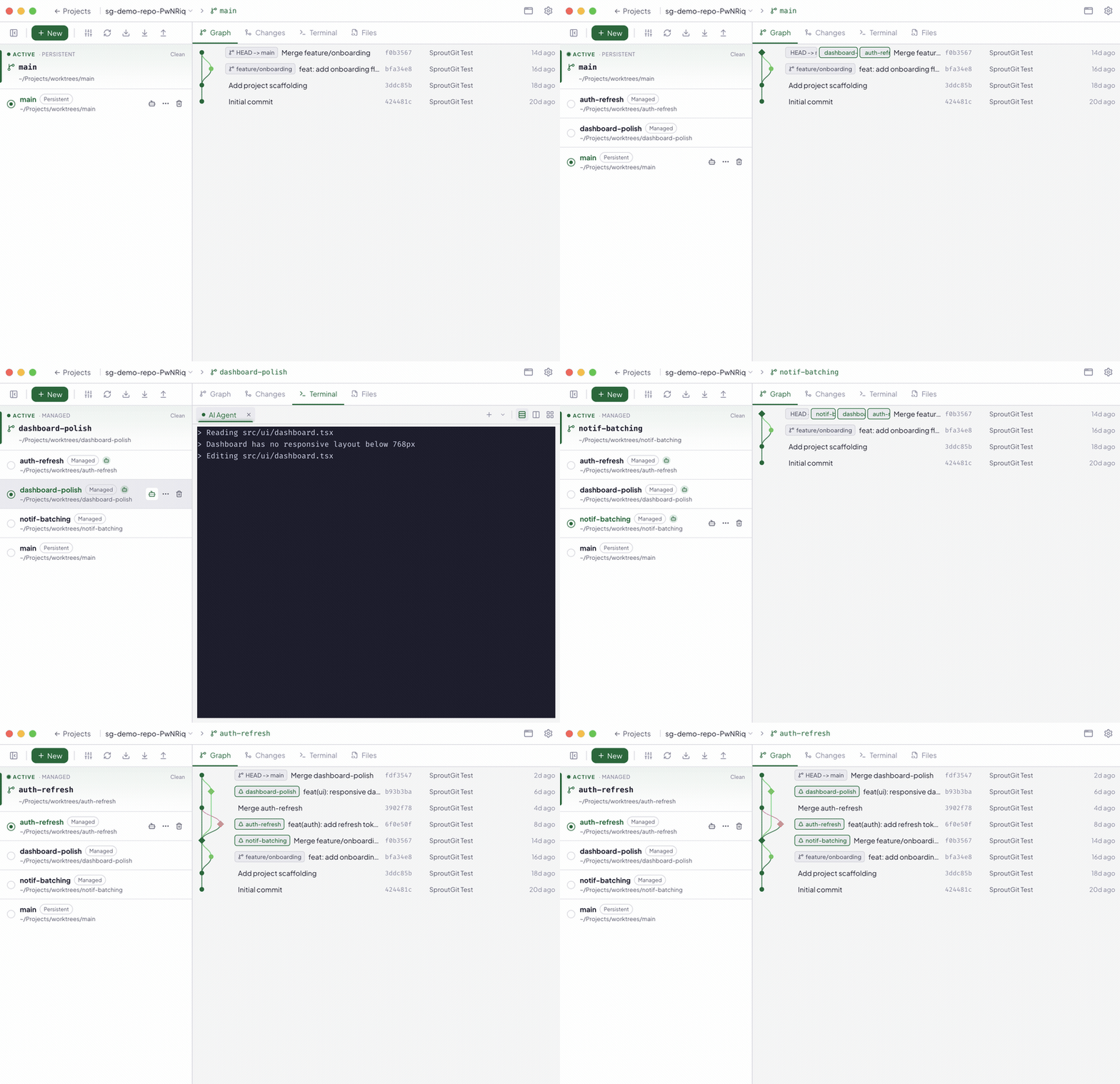
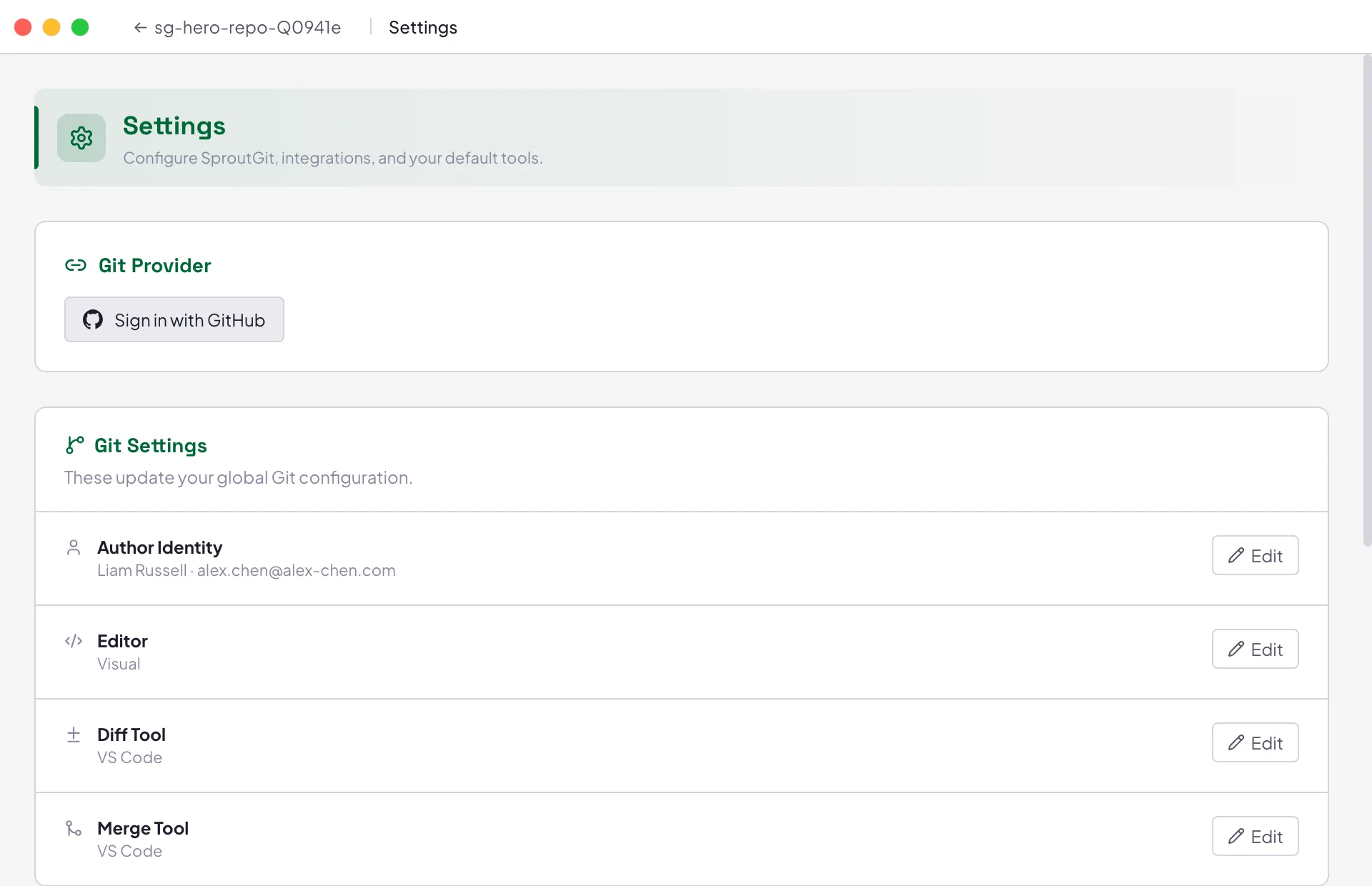
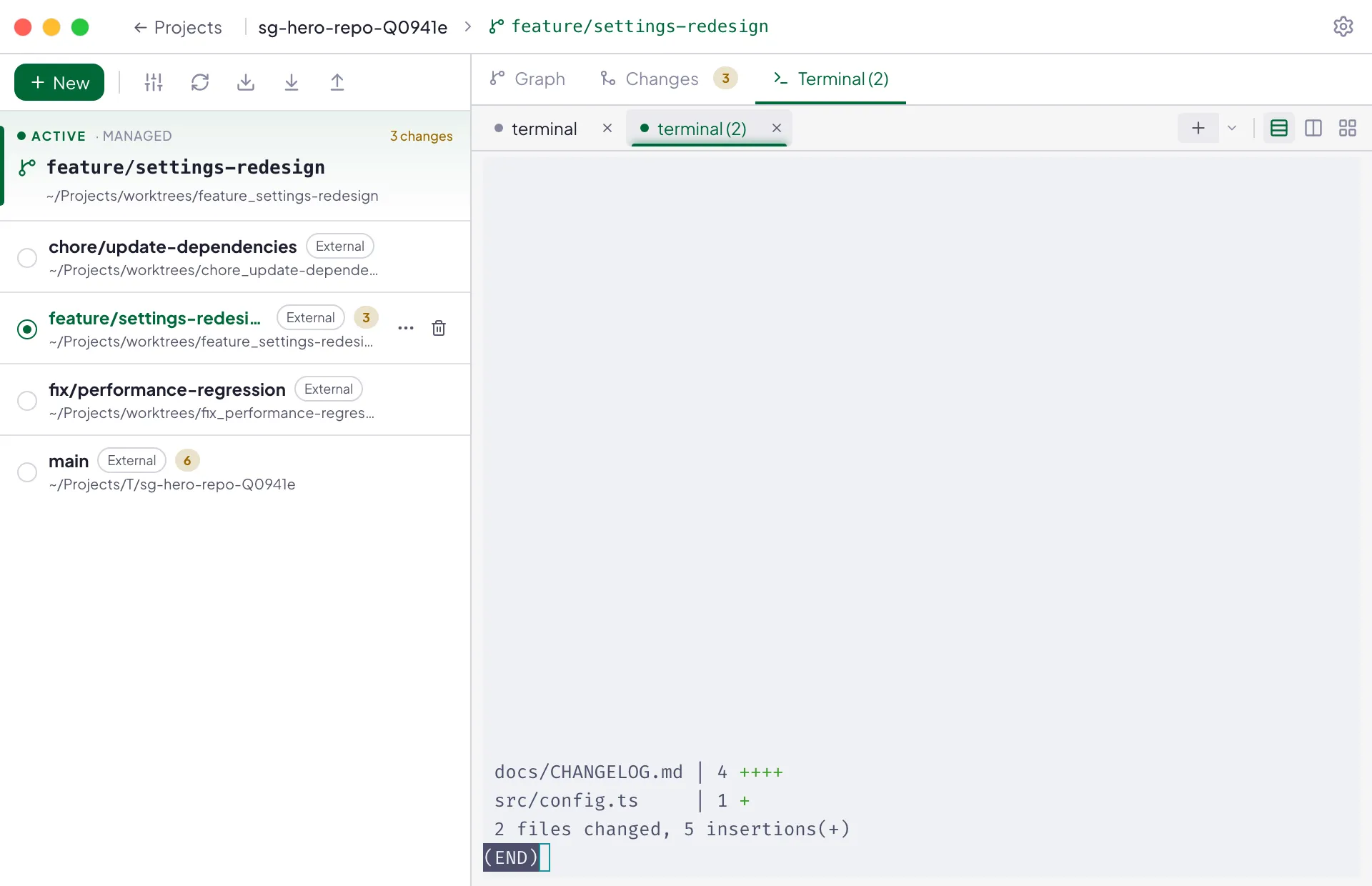
An open-source Git desktop built worktree-first: every task — yours or an agent's — gets its own isolated checkout. Launch any coding agent, follow every session live, and ship from one place.
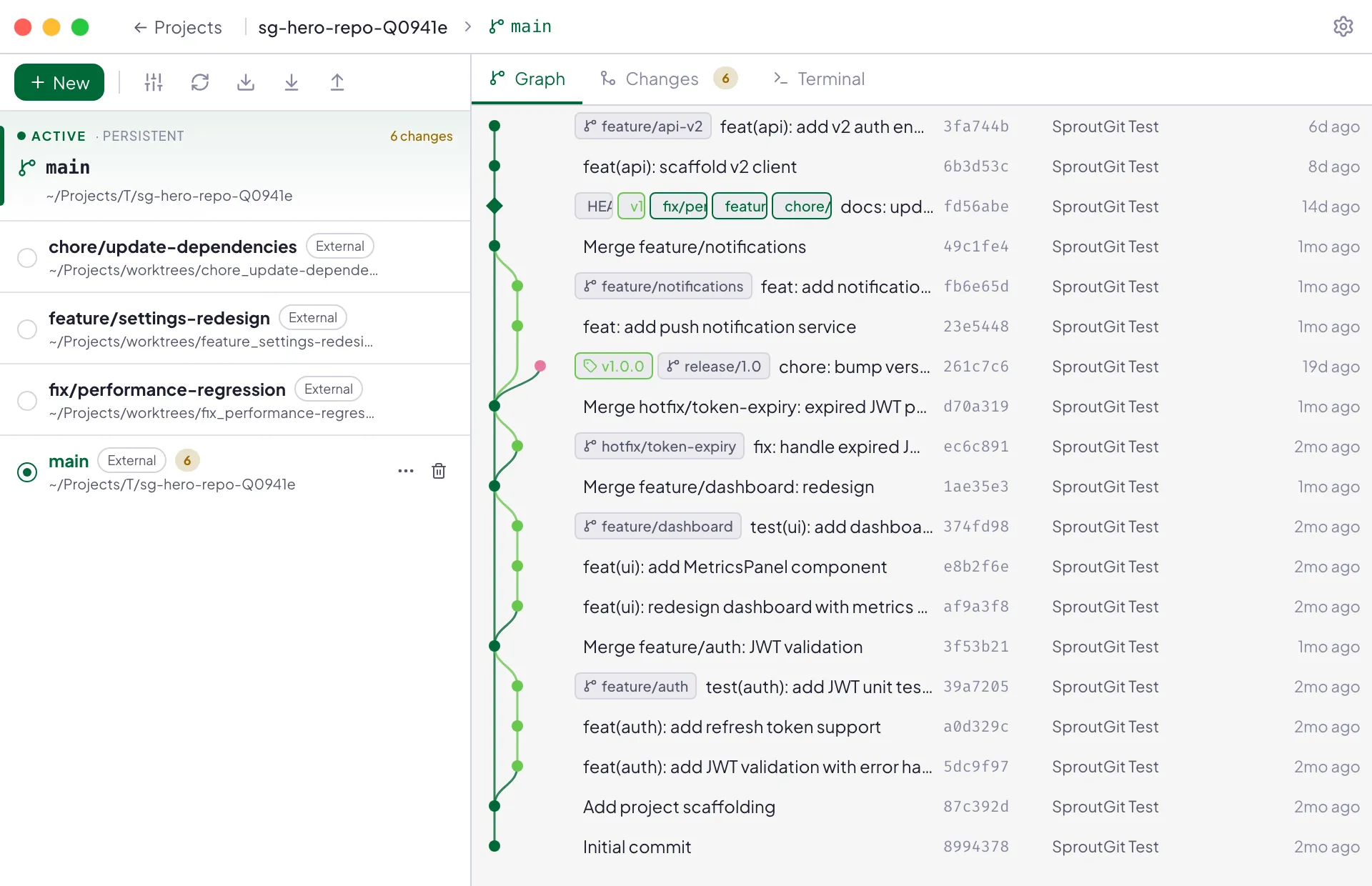
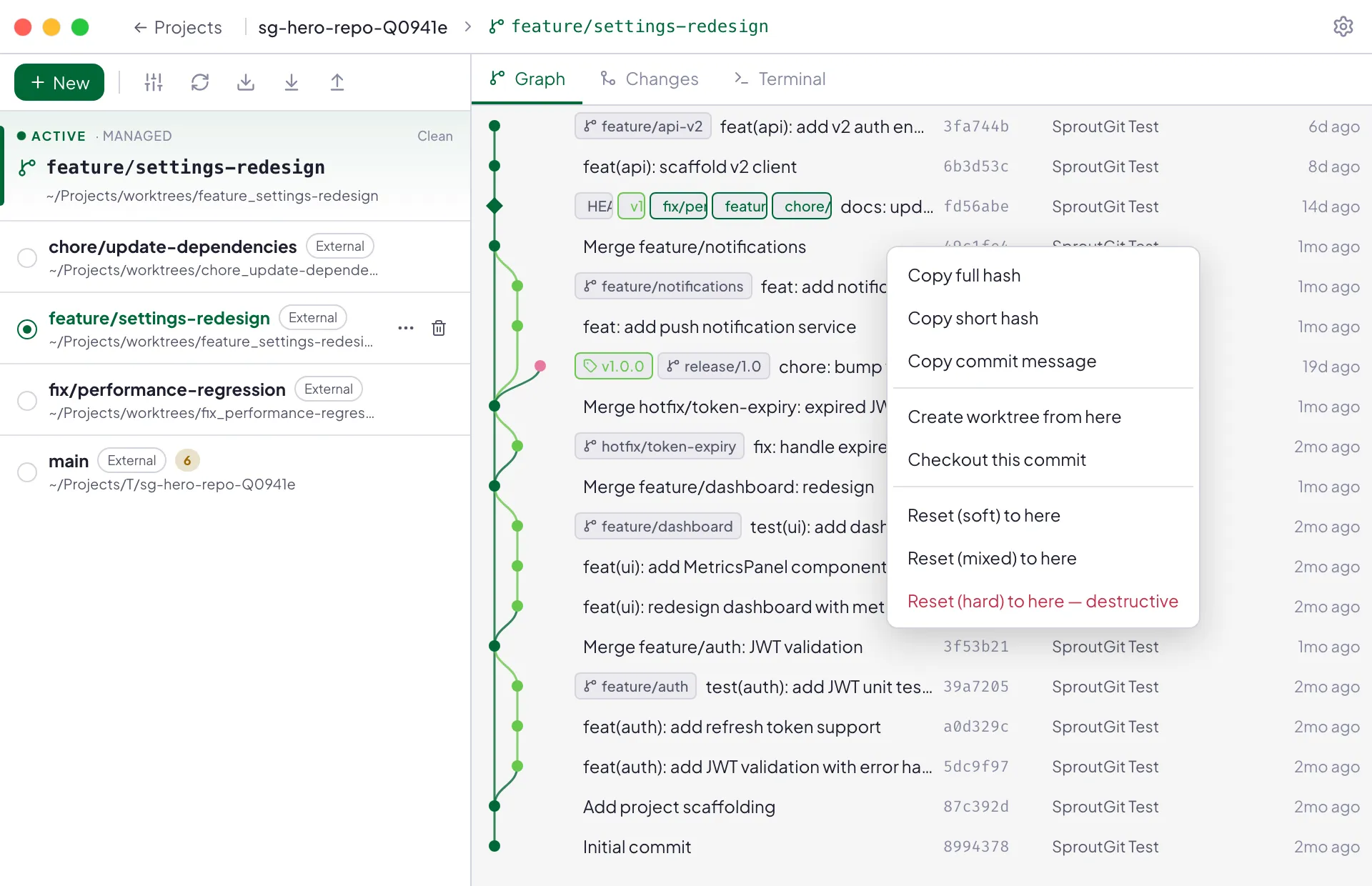
Lane-based history with worktree markers, ref badges, and right-click actions.
The problem with branch-first tools
Your working directory is a shared resource. It shouldn't be.
Traditional Git clients treat branches as the unit of work. But branches are just pointers — they all share the same directory. So context-switching means stashing, checking out, losing state.
😤Without SproutGit
~/projects/myapp/
├── src/
├── node_modules/
└── .git/
✕Switch branch → stash everything first
✕Two features? Hope you remember context
✕AI agent running? Collides with your edits
✕Merge conflicts from unrelated changes
🌱With SproutGit
~/projects/myapp/
├── root/# protected main checkout
├── worktrees/
│ ├── feature-auth/# you
│ ├── bugfix-nav/# teammate
│ └── agent-refactor/# AI agent
└── .sproutgit/
✓Every task gets its own isolated directory
✓Switch instantly — no stash, no lost state
✓Agents work in parallel without collision
✓Merge when ready, from a clean foundation
💡
This is native Git.git worktreehas been in Git since 2.5 (2015). SproutGit makes it the default workflow with a clean directory layout, visual management, and lifecycle hooks — no terminal required.
Built for the way software is made now
Agent-native. Not agent-flavored.
Most tools bolt a chatbot onto yesterday's workflow. SproutGit starts from the thing agents actually need — an isolated place to work — and builds the whole desktop around supervising many of them at once.
Any agent
Launch Claude Code, Codex CLI, Gemini CLI, Cursor, or Kiro in any worktree — as a terminal session or an integrated chat. Custom commands welcome; a roster of ad-hoc ACP agents is on the way.
Any model
No built-in subscription, no lock-in. Bring your own tools today; a provider registry — Anthropic, OpenAI, Google, OpenRouter, or any OpenAI-compatible endpoint — is on the roadmap.
Every session visible
Live badges show which worktrees have agents working. A mission-control overlay lists every running session across the workspace, with one-click jump to any terminal.
MCP built in
Every workspace runs its own MCP server, so agents get real tools — worktrees, hooks, status — instead of guessing at shell commands. One-click config for popular agent CLIs.
Hand a big task to a strong model in its own orchestration worktree — it reads your steering docs and breaks the work down.
02
Fan out
Each subtask gets a fresh worktree and a worker agent. Parallel by default — no collisions, no stashing.
03
Review
Workers finish; you review each small diff against the integration branch. Blocked sessions surface instead of stalling silently.
04
Ship
The integrated stream of work goes up as one roll-up PR. Checks, comments, and merge — without leaving the app.
Launching agents in isolated worktrees, integrated chat, session tracking, hooks, and the MCP server ship today. Orchestration, fan-out, and in-app PR review are in active development — in the open, where you can watch (or help).
What's in the box
Everything you need for parallel Git work.
A real Git client underneath the agents: commit graph, diffs, staging, branches, hooks. AI is bring-your-own — no built-in subscription, no vendor lock-in, and everything works with zero agents configured.
Core
Worktree-first workflow
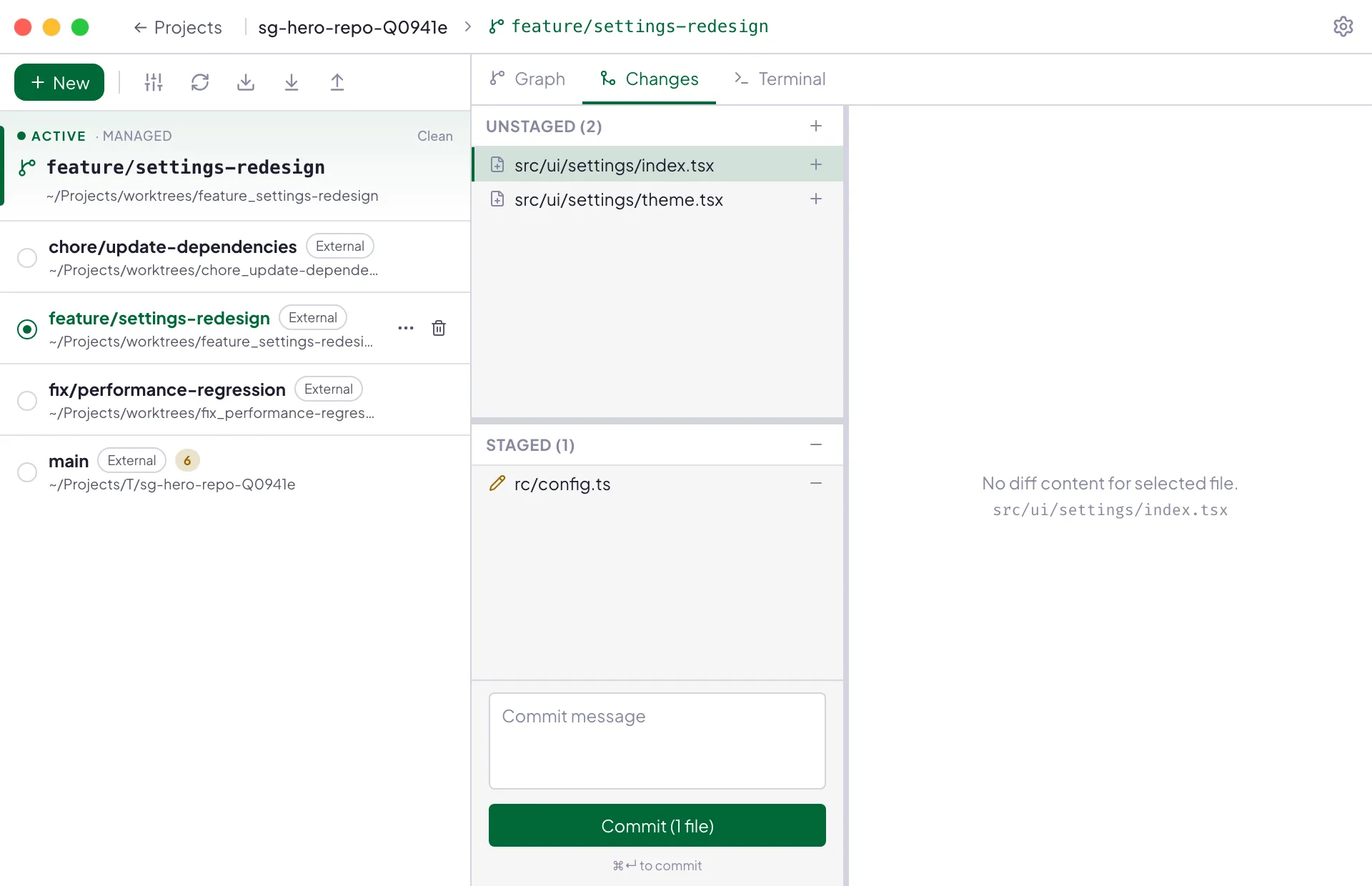
Create, switch, and manage Git worktrees in a clean prescribed directory layout. Managed vs external worktrees are visually distinct. The primary checkout is protected.
Core
Interactive commit graph
Lane-based SVG commit graph with search, selection, ref badges, and context menus. Worktree branches are highlighted with distinct markers.
Core
Diff viewer
Single-commit and multi-commit range diffs with file list and syntax-highlighted unified diff. Built with Monaco and highlight.js.
Core
Branch management
Checkout, reset (soft, mixed, hard), and create branches from any ref. Default action creates a branch and a managed worktree together.
Automation
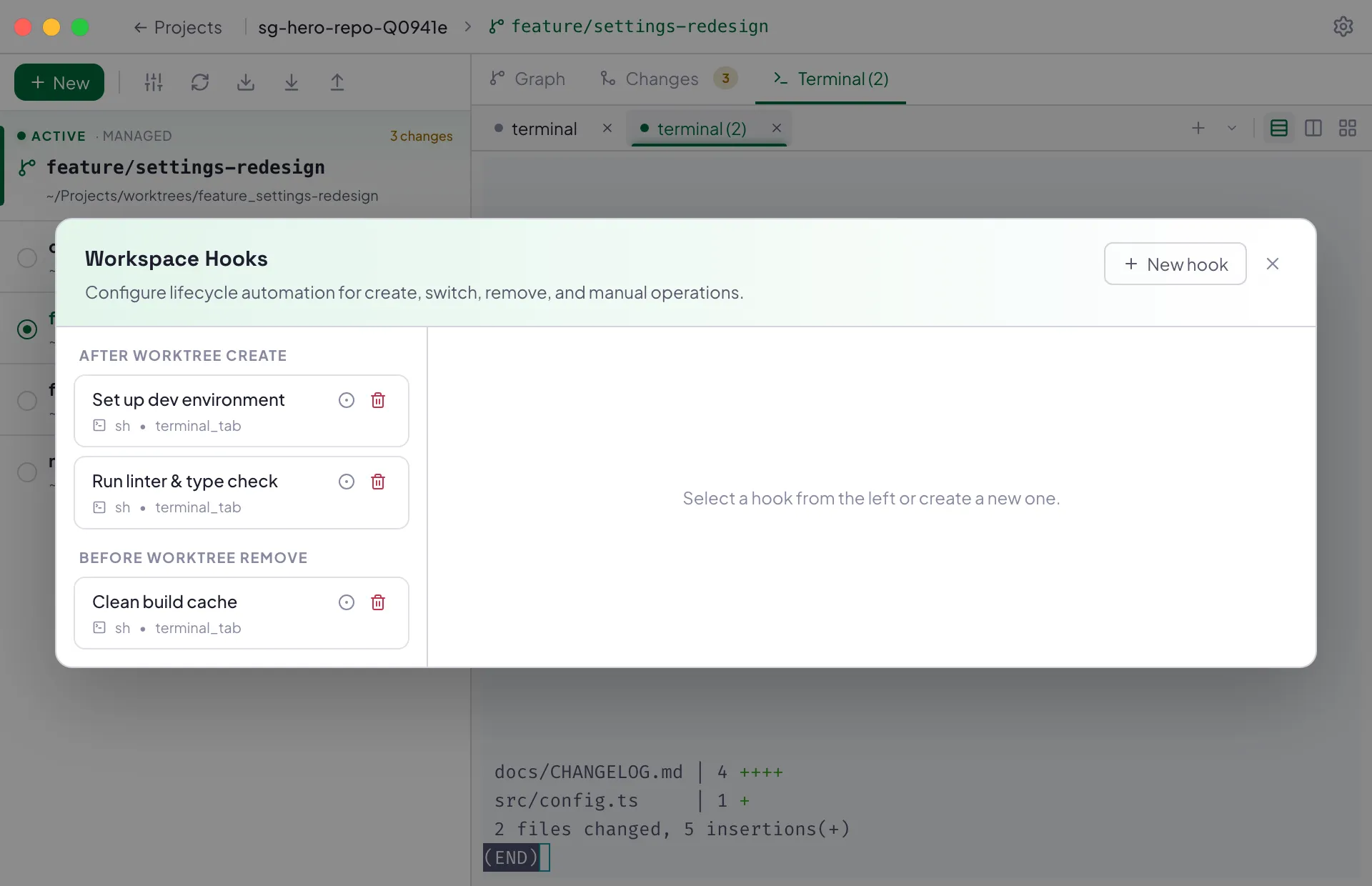
Workspace lifecycle hooks
Run scripts before and after worktree create, remove, and switch operations. Hooks support dependency ordering and critical/non-critical policy — every hook runs in an interactive terminal tab.
AI
AI commit messages
Generate a commit message from your staged diff and recent history with one click. Bring your own command — presets for Claude Code, Kiro, Codex, and Gemini, or wire up anything custom.
AI
Launch coding agents in worktrees
Run Claude Code, Cursor, Codex CLI, Gemini CLI, Kiro, or a custom command as a terminal session scoped to a single worktree, with a live-session badge in the sidebar.
Workflow
Editor integration
Open any worktree in your configured editor. Respects GIT_EDITOR, core.editor, VISUAL, and EDITOR in that order — your preference, not ours.
UI
Automatic dark mode
Follows system preference. Light and dark themes with the same brand palette and full contrast compliance. No toggle required.
Platform
Cross-platform desktop app
Built with Electron — a battle-tested Chromium + Node.js runtime. Runs on macOS, Windows, and Linux with auto-update built in. Code signing lands before 1.0.
macOS
11+
Linux
x64 / arm64
Windows
10+
MIT License
Open source forever
Electron + React 19
macOS · Windows · Linux
Shipping in the open
Latest releases
Pulled straight from GitHub Releases. Every build is versioned, tagged, and available to download.
v0.2.22Jul 7, 2026
feat(command-palette): add Cmd/Ctrl+K command palette by @liam-russell in #164
feat(git): add stash and cherry-pick support by @liam-russell in #165